The weekly reorder report: what to order, how much, exportable as CSV
A weekly reorder report for Shopify is one list that answers one question: what do I order this week, and how much. Restoc builds that list from your own inventory and sales data, shows it in the app, and exports it as a CSV you can hand straight to a supplier.
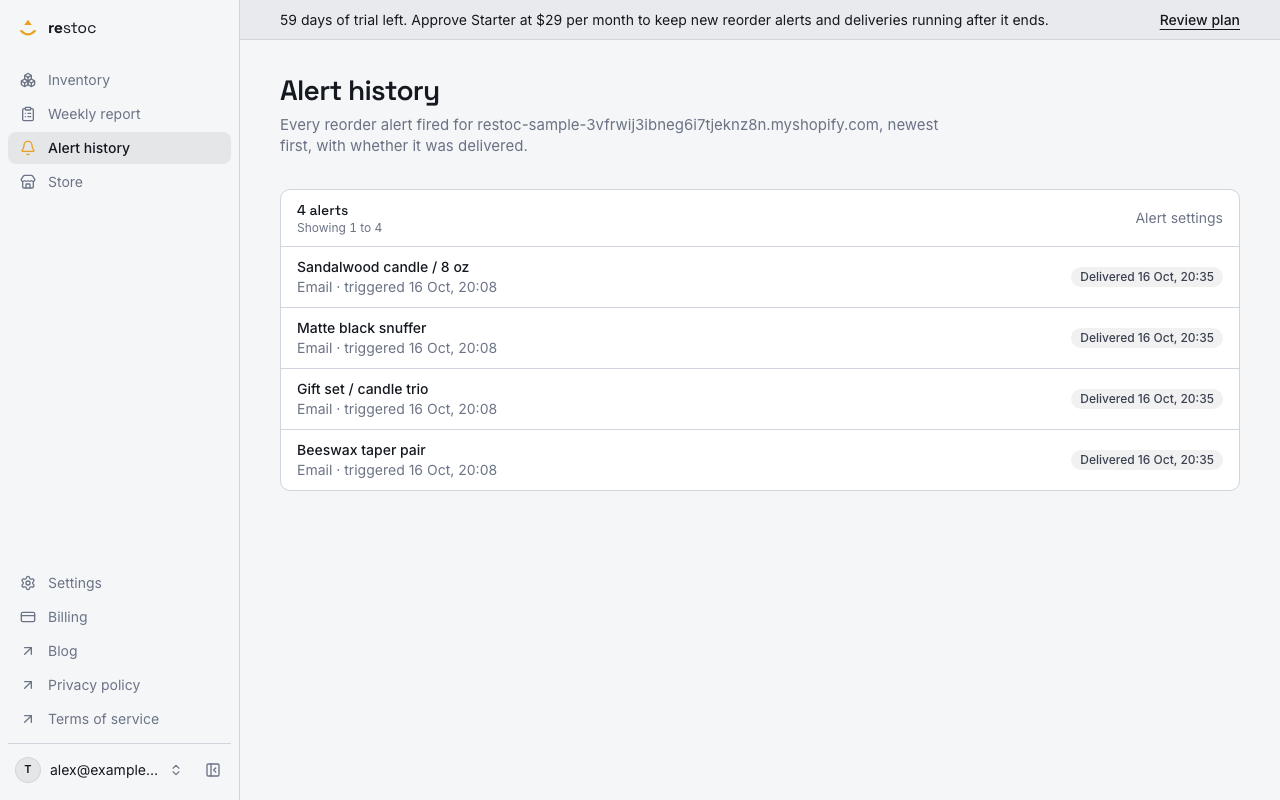
A screenshot of Restoc, which is not open yet, showing sample data. Nothing in it is a promise: what the product does is what this page says in words.
The Monday morning rebuild
The reorder decision is not complicated. It is tedious, and it happens every week.
Most merchants with a few hundred SKUs do it the same way. Export inventory from Shopify. Pull a sales report for the last couple of weeks. Paste both into a spreadsheet. Eyeball which lines look thin. Remember, or guess, which supplier takes three weeks and which takes three days. Then decide quantities with the clock running, because purchasing day is also packing day.
That process works until it does not. It breaks when a bestseller moves faster than it did last month. It breaks when you skip a week. It breaks quietly, and you find out when a customer tells you the product page says sold out. Selling out of your best seller and not noticing is the sentence nobody wants to write in a Slack channel.
The spreadsheet is not the problem. Rebuilding it from scratch every week is. The inputs barely change: current stock, recent sales rate, supplier lead time. Those three numbers already exist. Restoc is built to turn them into a standing weekly list, generated for you, so purchasing starts with a decision instead of a data pull.
This page covers the weekly report specifically: a list of what has fallen below the line, viewable in the app and exportable as CSV. It is the planning view. Email and Slack alerts, which fire when a single SKU crosses its reorder point, are a separate part of the app.
How the weekly reorder report is put together
- Connect the store once
Restoc installs through Shopify's OAuth flow and pulls real-time inventory levels and historical sales data using webhooks plus a scheduled sync job. The install reads recent sales history rather than starting from zero, so the first report has a velocity to work from. It is a web app: there is no mobile app and no browser extension.
- Set a lead time and a velocity window
You enter lead time in days per SKU, because only you know your suppliers. You pick the sales velocity window Restoc reads from, 7, 14 or 30 days, set once for the store. On Pro you can override that window on an individual SKU.
- Restoc calculates a reorder point per SKU
The reorder point comes from your chosen velocity window and your lead time, worked out by a single tested calculation function. That same function is what the weekly report, the per-SKU alerts and the dashboard's reorder status each compute their reorder point from.
- The weekly report lists what is below the line
The report shows the SKUs sitting below their reorder point, each with a suggested order quantity beside it. SKUs that are still comfortable do not appear, so the list stays short enough to read in a sitting.
- One snapshot per store, per week
A scheduled background pass generates the week's list, and you can regenerate it in the app when you want a fresher cut. Generating it again for the same week does not produce a second, competing list. Because it is a snapshot, it holds the numbers as they stood when it ran, which is what makes the week you decided from stay the week you decided from.
- Read it in the app, or export the CSV
You open the report in Restoc, or download it as a CSV: the same report either way. Open that in a spreadsheet, sort by supplier, trim what you do not want, and send it on as your order list.
Why a weekly list beats a weekly rebuild
Purchasing starts with a shortlist
You open one screen and see what needs attention this week. No inventory export, no sales report, no pasting two files together to find the overlap.
A flag is not a decision
Knowing a line is thin still leaves you working out the number. Because the quantity sits next to the SKU, you are editing a draft order rather than starting one from a blank cell.
CSV fits the workflow you already have
Suppliers want a list, your bookkeeper wants a record, and your spreadsheet already holds supplier columns and cost prices. The export drops into all three without a rewrite.
One calculation behind the numbers
The reorder point is not re-derived differently in each screen. A single tested function computes it, and the report, the alerts and the dashboard all call it, so a lead time you correct is read by all three.
What this report does not do
We would rather you find the limits here than after installing.
It produces a list, not a purchase order
Restoc tells you what to order and suggests how much. It does not send the order, hold supplier catalogues, or track the order once it is placed. Your CSV, your email, your supplier.
It is not a forecasting tool
The reorder point comes from a recent sales velocity window and your lead time. It does not model seasonality, promotions or a product launch. If you know Black Friday will triple demand on a hero SKU, you still need to order ahead of the report rather than wait for it.
The report is a snapshot, the dashboard is live
The weekly report freezes the numbers as they stood when the week's pass ran. The dashboard recalculates from current stock each time you open it. Later in the week the two can disagree on the same SKU, usually by a fraction of a sale per day and a unit or two of reorder point. The report is the version you ordered from, the dashboard is the version that is true right now. Report rows do not yet carry an as-at stamp, and the CSV has no timestamp column.
Your own SKU code is not in the report yet
The dashboard shows the SKU code you keep in Shopify. The weekly report and its CSV export show the product title and variant instead, so if you order from suppliers by code you will be matching titles by hand for now. It is on the list to fix, and we will say here when it is done.
The report waits in the app, it is not emailed
The scheduled pass generates the week's snapshot and it sits in Restoc until you open it or export the CSV. The report itself does not arrive in your inbox. What arrives is the per-SKU alert, fired when a single SKU crosses its reorder point: email on every plan, Slack from Growth upwards. If we add a report email, we will write it here.
One location per plan
Every plan tracks one location. If you hold stock in several warehouses and need a separate reorder point for each, this is not the tool for that yet.
Slack alerts start on Growth
The weekly report and its CSV export are on every plan, including Starter. Email alerts are on every plan too. Slack alerts, delivered to an incoming webhook you configure, start on Growth, and the per-SKU velocity window override starts on Pro.
Restoc is not open yet
We are pre-launch and building against exactly the scope described here. There are no customers to quote and no results to show you, so we are not going to invent either. Join the waitlist and we will tell you when the app is live, and what it does and does not do on the day it ships.
What it will cost
Starter, $29 per month
Up to 200 tracked SKUs, one location. Includes the weekly reorder report with suggested order quantities and CSV export, a reorder point per SKU from your sales velocity and lead time, the store-wide 7, 14 or 30 day velocity window, email alerts when a SKU crosses its reorder point, and the days-of-inventory dashboard. Also available at $290 per year.
Growth, $59 per month
Everything in Starter with up to 1,000 tracked SKUs, five times Starter's capacity, enforced at sync time, plus Slack alerts through an incoming webhook alongside email. One location. Also available at $590 per year.
Pro, $99 per month
Everything in Growth with up to 2,000 tracked SKUs, one location, and custom reorder rules: a per-SKU sales velocity window override. Also available at $990 per year.
60-day free trial on every plan
The trial is 60 days, long enough that at least one full weekly reorder cycle completes before the first charge. Annual billing is surfaced at signup, at ten months' price for twelve months. Subscriptions are billed by Shopify on your Shopify invoice, not by a separate card payment.
Questions
Does the report tell me how much to order, or just what is low?
Both. Each SKU listed in the weekly report carries a suggested order quantity alongside it, calculated from your sales velocity window and the lead time you entered for that SKU.
Can I export the weekly reorder report to CSV?
Yes. The report is viewable in-app and exportable as a CSV, so you can sort it by supplier, adjust quantities and send it on. The export is the same report you read on screen.
How does Restoc decide which SKUs go on the report?
A SKU appears when its current stock sits below its calculated reorder point. That reorder point comes from a sales velocity window you choose, 7, 14 or 30 days, and the lead time you enter per SKU.
Why would the dashboard and the weekly report show different numbers for the same SKU?
The report is a snapshot of the week it was generated for, so it holds the stock and velocity figures as they stood when the pass ran. The dashboard computes live from current stock every time you load it. Both use the same reorder point calculation, they just read the clock at different moments.
Does the report show my own SKU codes?
Not yet. The report and its CSV show the product title and variant, while the dashboard shows the SKU code you keep in Shopify. If your supplier orders go out by code, you will be matching titles by hand until we move the code into the report snapshot.
Is the weekly report included on the cheapest plan?
Yes. Starter is $29 per month, or $290 per year, and includes the weekly reorder report with suggested order quantities and CSV export, for up to 200 tracked SKUs at one location.
Do I still get alerts between reports?
Yes. Restoc sends an email alert when a single SKU crosses its reorder point, on every plan, so a fast mover does not have to wait for the next weekly list. Slack alerts, to a webhook you configure, start on Growth.
Can I use this now?
Not yet. Restoc is pre-launch, on a waitlist. Sign in will be by email and password, the app runs on Amazon Web Services, and it installs on your store through Shopify's standard OAuth flow when we open.